AI bedroom design: redesign your bedroom from a photo

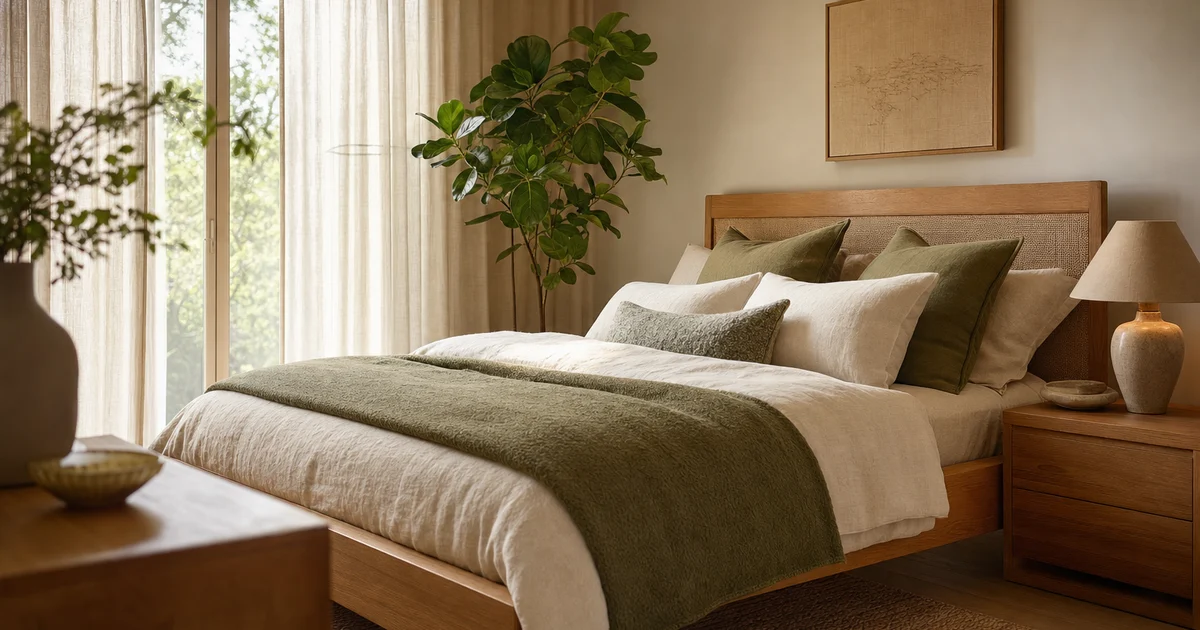
AI bedroom design lets you photograph your real bedroom and see it redesigned in minutes, before you move a single piece of furniture. You pick a style, describe what matters (more storage, a calmer mood, a bed that finally feels like the center of the room), and the app returns a redesign of your actual space so you can compare options and keep the best one. This guide covers what AI bedroom design can and cannot do, how to get a result worth acting on, what to consider specifically in a bedroom, a few interior design styles worth trying, the common mistakes, and a walkthrough in MINIROOM AI so you can test the look on your own room today.
What AI bedroom design is, and what it can and cannot do
AI bedroom design takes a photo of your room and generates a realistic redesign in the style you choose. It keeps the bones of your space recognizable (the window, the rough layout, the proportions) and reimagines the surfaces, furniture, palette, and lighting on top. The point is to see a believable version of your own bedroom, not a generic showroom you could never replicate.
It is genuinely good at a few things:
- Showing a style on your real room. You see how a calm Japandi palette or a warmer minimalist scheme actually lands in your space and light.
- Generating options fast. Several directions in the time it takes to scroll a catalog, so you compare instead of guess.
- Building a shared reference. A saved before-and-after is easier to discuss with a partner than an idea in your head.
The limits matter just as much. It does not measure your room, so the redesign is a visual idea, not a to-scale plan: check that furniture fits before you buy. The exact pieces shown may not be for sale, so treat the image as direction rather than a shopping list. And it can only work from what your photo shows, so a dark or cluttered shot gives a weaker result.
How to get a good result, step by step
The quality of an AI redesign depends mostly on the photo and the brief you give it. Work through these steps and your odds go up sharply.
- Take a clear, well-lit photo. Shoot in daylight where you can, open the curtains, and turn on the lights so the room is bright and even. Avoid heavy shadows and harsh backlight from a window behind you.
- Get the whole bedroom in frame. Stand in a doorway or corner and capture the bed plus one or two walls. The more context the AI sees, the more coherent the redesign.
- Tidy up first. Make the bed and clear the surfaces, since the model redesigns what it sees.
- Choose a style and describe your priorities. Pick a look, then say what you want: more storage, a calm mood, a reading nook, warmer lighting, or a palette like soft greige with oak.
- Generate, then read the result honestly. Ask whether it solves your real problem rather than just whether it looks pretty.
- Compare options side by side. Put two or three directions next to each other and the original to judge which truly fits your space.
- Save the best. Keep the version you would actually live in, so you can return to it, share it, and shop against it.
What to consider specifically in a bedroom
A bedroom has a different job from a living room. It has to wind you down and help you sleep, so the priorities shift. Keep these in mind when you write your brief and judge the results.
- The bed is the focal point. It is the largest object and the reason the room exists. Center the design on it, usually against the main wall, with the headboard anchoring the composition and symmetry on either side.
- Lean on a calm palette. Soft neutrals, muted greens and blues, warm taupe, and gentle earth tones beat high-energy schemes for a space meant for sleep.
- Layer the lighting. One bright ceiling light is the enemy of rest. Combine soft ambient light with bedside lamps for reading and a low, warm glow for evenings.
- Plan nightstands and storage. A nightstand on each side keeps essentials within reach and the bed balanced. Then solve the clutter with a wardrobe, under-bed storage, or a dresser, so surfaces stay clear.
- Use textiles to add warmth. A quality duvet, a throw, layered cushions, a rug underfoot, and curtains that soften the light make the room feel inviting rather than bare.
- Have a plan for a small bedroom. If space is tight, ask the AI for small-room tactics: a lighter palette, a low or storage bed, wall-mounted nightstands and sconces, mirrors to bounce light, and vertical storage to use the height.
Bedroom style ideas to try
Half the value of AI design is trying styles you would never commit to on instinct. Here are a few that suit bedrooms especially well, each a good prompt to test on your own room.
- Minimalist. Calm and edited, built on warm neutrals, clean-lined furniture, and clear surfaces, so the room feels restful rather than busy. The minimalist interior design guide breaks down the palette and the pitfalls.
- Japandi. A blend of Scandinavian function and Japanese minimalism: earthy tones, natural woods, handmade objects, and a grounded, contemplative mood that works beautifully in a bedroom. See the Japandi style guide for the full picture.
- Scandinavian. Brighter and cozier, with pale woods, soft whites, and plenty of textiles, ideal if your bedroom is short on natural light.
- Warm modern. Clean and current, softened with wood tones, layered textures, and warm lighting so it never feels cold. A good middle ground if pure minimalism feels too spare.
If you are unsure which direction fits you, browse the full interior design styles hub, then test two or three on your real bedroom and let the comparison decide.
Common mistakes to avoid
Most disappointing AI redesigns come down to a handful of avoidable errors. Skip these and you will get usable results far more often.
- Feeding it a bad photo. Dark, blurry, cluttered, or half-framed shots give weak redesigns. A clean, bright, full-room photo is the single biggest lever you have.
- Writing a vague brief. Just bedroom does little. State the style, the mood, the palette, and the priority so the model has something to aim at.
- Judging only on looks. A render can be gorgeous and still ignore your storage problem or tiny floor plan. Ask whether it solves the actual issue.
- Forgetting to measure. AI does not know how wide your room is. Confirm that a bed, wardrobe, or dresser fits before you spend anything.
- Generating once and stopping. The first result is rarely the best. Try a few styles and prompts, compare them, and keep the strongest.
Redesign your bedroom with MINIROOM AI
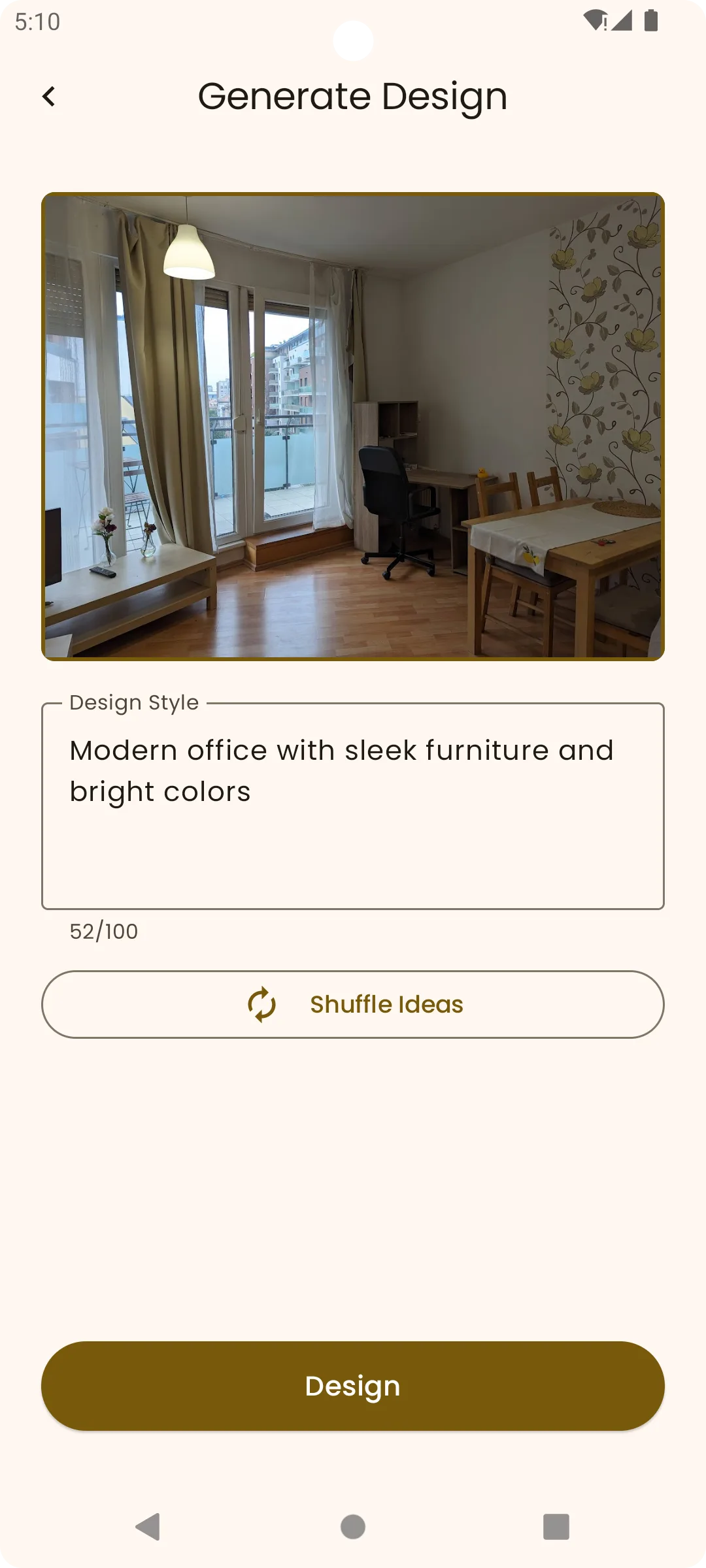
Here is how it comes together in practice. MINIROOM AI is an AI interior design app on Google Play that turns a photo of your bedroom into a redesign you can compare, save, and share, so you can test ideas before committing to any of them.
- Photograph your bedroom. Open MINIROOM AI on your Android phone, tidy the room, and take a clear, well-lit photo with the bed and as much of the space as possible in frame.
- Pick a style. Choose a look to start with, for example minimalist for a calm, edited room or Japandi for a warmer, grounded one.
- Describe your priorities. Tell it what matters: a calm palette, more storage, a reading nook, warm layered lighting, or a bed that reads clearly as the focal point.
- Generate the redesign. The app returns an AI version of your actual bedroom in that style, keeping your layout recognizable.
- Compare your options. View a second or third direction side by side with your original to see which genuinely fits your room.
- Save and share the best. Keep the versions you love and share them with a partner before you repaint, rearrange, or buy a thing.
Because trying three palettes on your real bedroom costs nothing, the guesswork disappears. Explore the same approach for any room on the room design app page, or read more about how it works on the AI interior design app page.
Redesign your bedroom now.
Open MINIROOM AI on Google Play, photograph your bedroom, and compare the options.

Frequently asked questions
What is AI bedroom design?
It is a way to redesign your bedroom from a photo. You take a picture of your real room, choose a style, describe your priorities, and an app generates a realistic redesign of your space. You compare options and save the one you like best, all before moving furniture or spending money.
How do I get the best result from an AI bedroom designer?
Take a clear, well-lit photo with the bed and most of the room in frame, tidy up first, then write a specific brief: the style, the mood, the palette, and your priority such as more storage or a calmer feel. Generate a few options, compare them side by side, and keep the strongest.
Can AI redesign my bedroom from just one photo?
Yes. A single clear, well-lit photo that shows the bed and a wall or two is enough to generate a redesign. The better and brighter the photo, the more accurate and coherent the result, so it is worth tidying the room and shooting in good light before you start.
What should I consider when designing a bedroom?
Make the bed the focal point, choose a calm and restful palette, layer your lighting with bedside lamps rather than one ceiling light, plan nightstands and real storage to keep surfaces clear, and add warmth with textiles. In a small bedroom, use lighter colors, storage furniture, and wall-mounted pieces to free the floor.
What styles work well for a bedroom?
Calm, restful styles suit bedrooms best. Minimalist keeps things edited and warm, Japandi adds grounded, earthy warmth, Scandinavian brings brightness and coziness for rooms short on light, and warm modern offers a current look softened with wood and texture. Try two or three on your real room and compare.
What are the limits of AI bedroom design?
It does not measure your room, so always check that furniture physically fits. The exact pieces in a render may not be for sale, so treat the image as direction rather than a shopping list. And it can only work from what your photo shows, so a poor photo gives a poor redesign.
Is there a free way to try AI bedroom design?
You can start with MINIROOM AI on Google Play, photograph your bedroom, choose a style, and generate a redesign to compare and save. Trying a few palettes on your own room is a low-effort way to see what works before you commit to repainting or buying furniture.
How is AI bedroom design different from hiring a designer?
An AI app gives you fast, low-cost visual options on your own room in minutes, which is ideal for exploring directions and narrowing down a style. A human designer adds judgment, exact measurements, sourcing, and project management. Many people use AI first to decide on a direction, then bring in a professional if the project is large.